
Patient registration
MRN, CNIC, phone and referring doctor. A returning patient is found by CNIC or phone and keeps the same MRN.
From the reception counter to the signed report, SmartLAB keeps patients, tests, results, payments and stock in one place. Use it in the browser, or install SmartLAB Desktop on your Windows computers so the lab keeps working during load-shedding.

MRN, CNIC, phone and referring doctor. A returning patient is found by CNIC or phone and keeps the same MRN.
CBC, LFT, RFT, lipid profile, urine, serology, Widal and more, with units and ranges. Set your own prices.
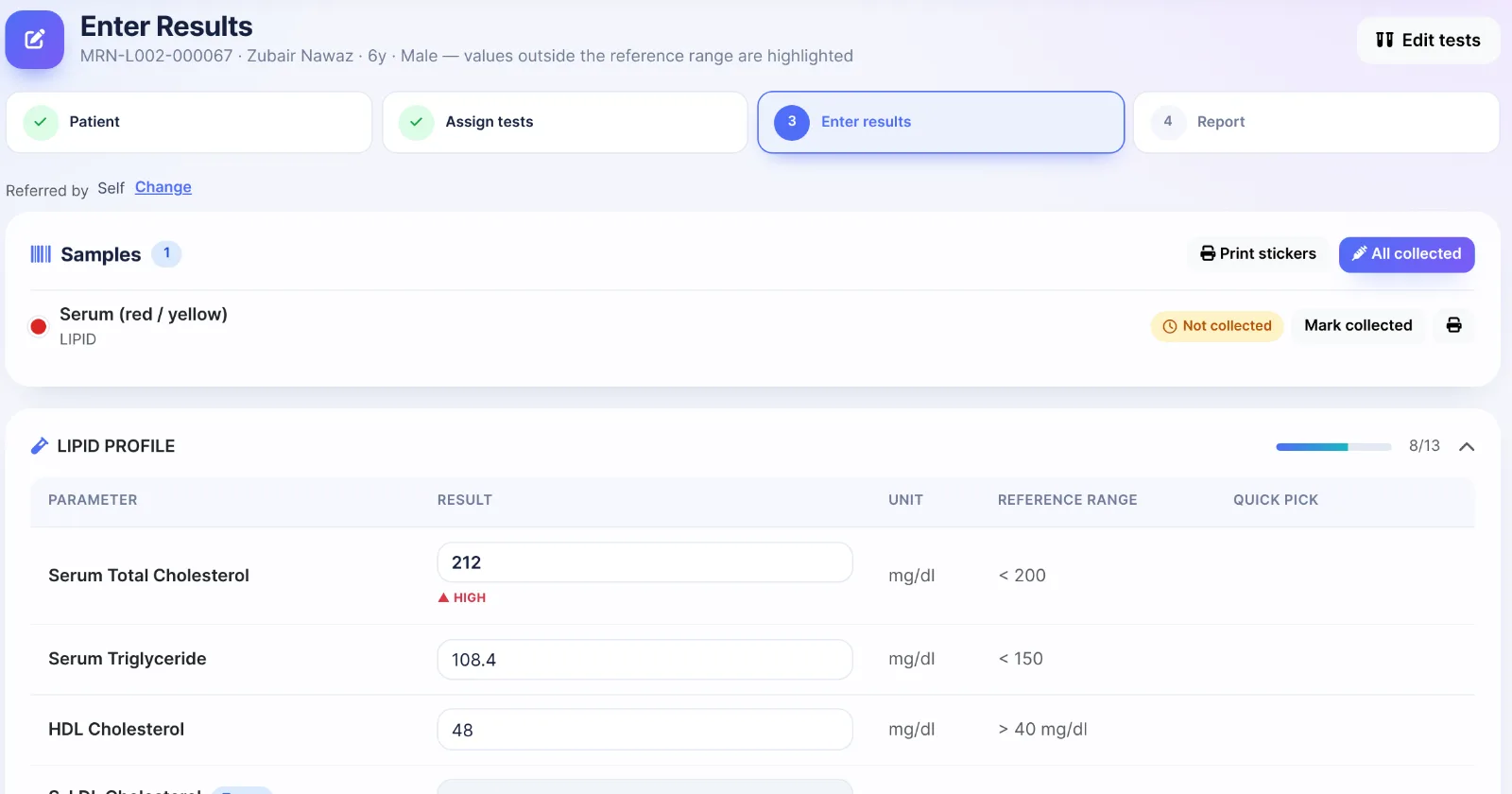
All tests of a visit on one screen. High and low values are flagged as you type; LDL, VLDL and ratios are worked out for you.
PDF reports on your letterhead or plain paper, with signatures and a QR code anyone can scan to check the report.
Invoices, discounts, part payments, dues, daily expenses and shift handover of cash.
Kits and consumables with low-stock warnings on the dashboard before you run out.
Reception registers the patient and adds tests. The bill builds up as tests are ticked. The technologist enters results on one screen, the pathologist checks and completes the visit, and the report prints at the counter or goes to the patient as a WhatsApp link. Each step has its own button on the dashboard, so new staff learn it in a day.
On the website, the owner can see today's work from home and a collection point can register patients. On SmartLAB Desktop, the front desk keeps working when the internet goes. Both use the same account, so patients and reports are the same everywhere once the computer syncs.
Every lab has its own patients, staff, prices and letterhead. Staff logins can be limited to what each person needs, and every change to a result or payment is kept in an activity log the lab admin can read.
It is software that records each patient, the tests ordered, the results and the payment, and prints the lab report. Bigger systems are called a LIMS (laboratory information management system). SmartLAB covers the daily work of a pathology or diagnostic lab.
Yes. It is made for small and medium labs: one room with two staff, or a lab with several counters and computers.
No, the website works in Chrome or Edge on any computer or phone. If your internet is not reliable, install SmartLAB Desktop on your Windows computers as well; it works offline and syncs by itself.
Yes. Upload your letterhead, use a built-in design, or print on pre-printed paper with the right margins.
Register, add your prices and letterhead, and print your first report today. No card needed.
A checklist for lab owners comparing pathology lab software in Pakistan: offline work, reports, prices, data safety, Urdu and the questions vendors avoid.
· 6 min read
LIMS and LIS explained in plain words for pathology and diagnostic labs in Pakistan, with what each does and how to tell which one you are being sold.
· 2 min read
How to move a pathology lab from paper registers or Excel to lab software without stopping work: what to prepare, the first week and common mistakes.
· 3 min read