
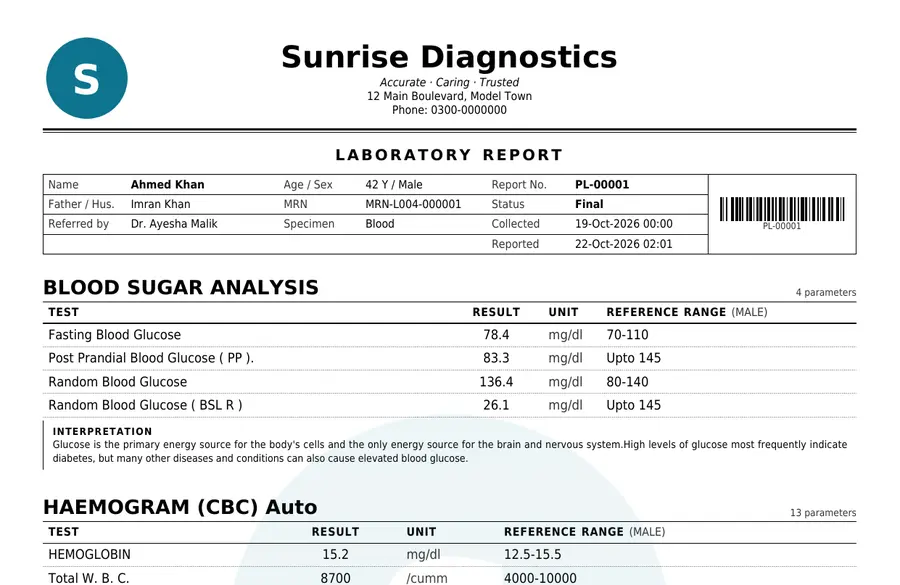
Black & white The default
Lab name, tagline, address and phone in black over a double line. No colour areas.
Good for: Labs with a black-and-white printer; low toner use.
Pick the options a lab admin picks on Report Settings, and the report changes to show how SmartLAB really prints it. Every picture is a real report, for an invented lab. Tap the report to see it full size.

Your report is what doctors and patients see of your lab. In SmartLAB you choose how it looks: one of four letterhead designs, your own letterhead, or your pre-printed paper. A4 or small slips. QR code, signatures and charges on or off. Every picture on this page is a real report printed by SmartLAB, for an invented lab.
Used when the report is printed "with letterhead", and on every report sent to patients. The lab admin picks one on Manage Lab → Report Settings; it can be changed at any time.
Lab name, tagline, address and phone in black over a double line. No colour areas.
Good for: Labs with a black-and-white printer; low toner use.
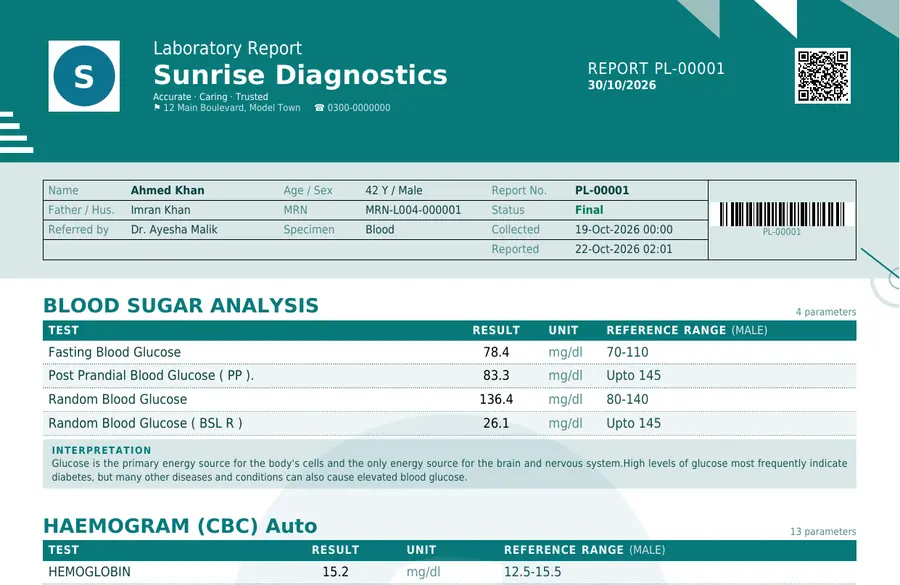
A teal header with your logo, lab name, contacts and the QR code. Filled in from your Lab Profile.
Good for: Labs that want a modern colour report without designing anything.
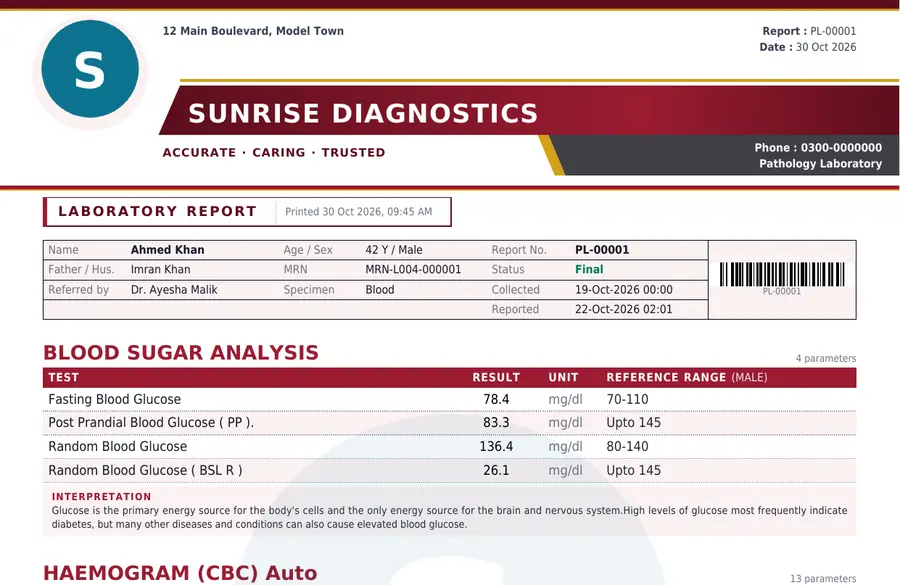
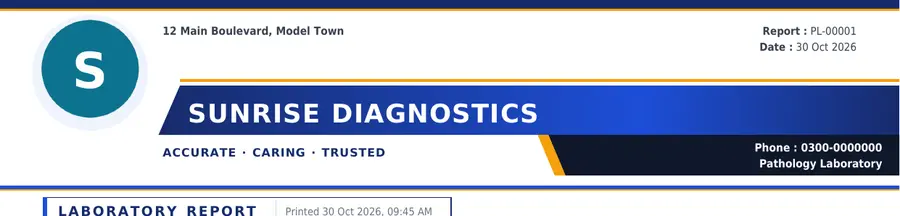
Logo and address on top, your lab name on a wide colour band, phone numbers in a dark block.
Good for: Labs that want a traditional printed-letterhead look.
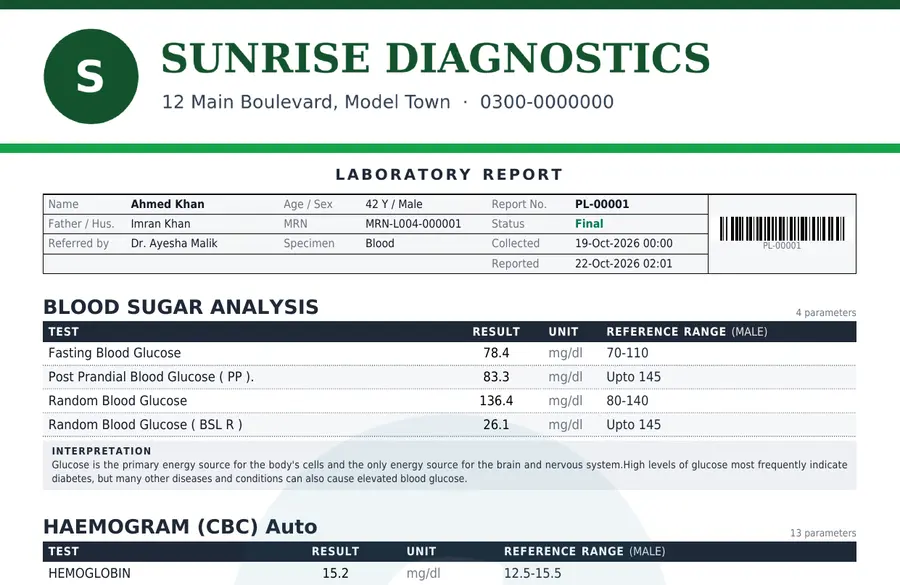
Upload your own header (and footer) as pictures. They print across the top and bottom of every page.
Good for: Labs that already have a designed letterhead.
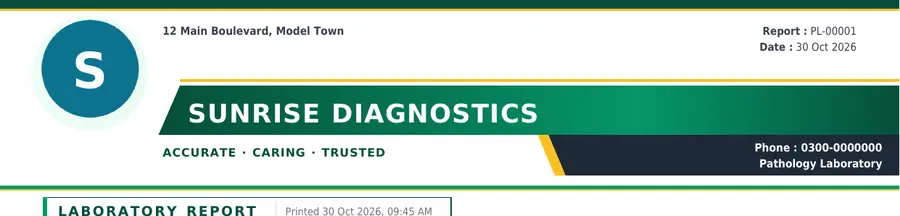
Pick the colours that match your sign board or visiting card: Maroon & Gold, Royal Blue, Emerald, Royal Purple, Ocean & Coral and Charcoal & Red.

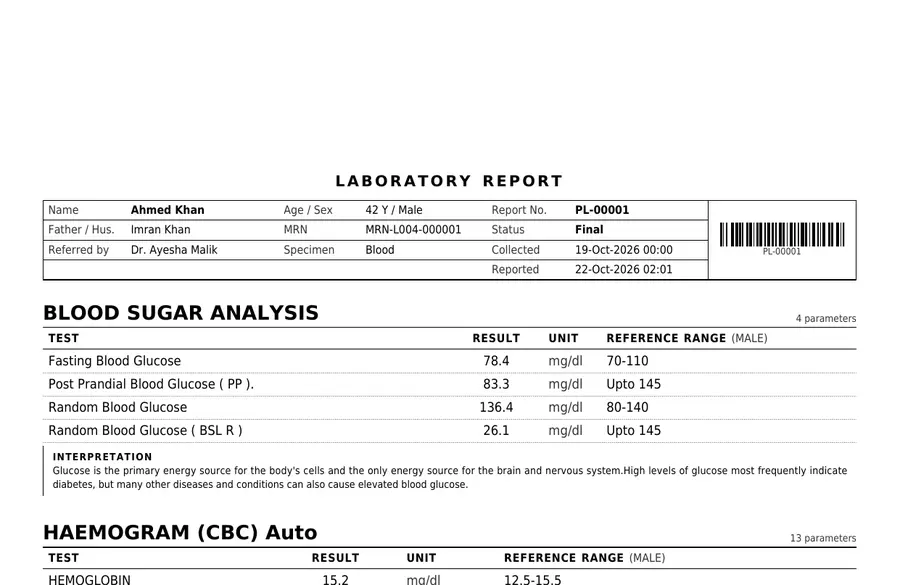
Keep using it. Choose Without letterhead and measure your paper: type how many millimetres the printed header and footer take. SmartLAB leaves that space empty and prints the report in black and white in between.
Staff can still print one report with the letterhead from the Print menu, for example when the pre-printed paper runs out.
Many labs print short reports such as blood sugar or malaria parasites on small pre-cut paper, a third of an A4 sheet (210 × 99 mm). SmartLAB can do that in two ways:
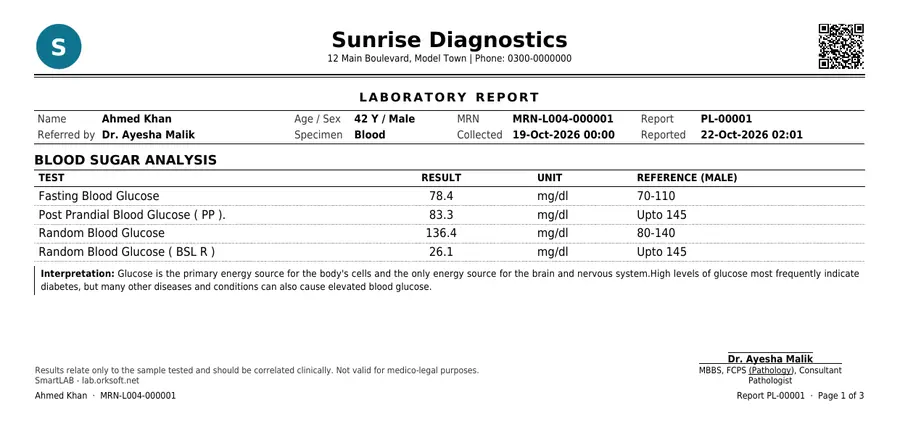
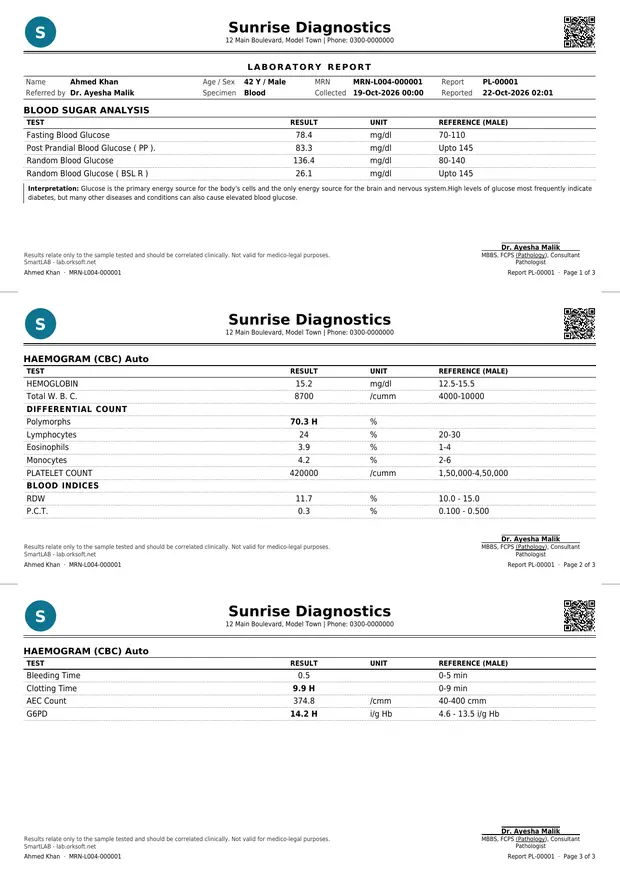
Whatever you choose, the report itself stays the same and easy to read: patient details with MRN, referring doctor and dates; one table per test group with result, unit and the reference range for the patient's age and sex; high and low values in bold with H or L; the barcode; and page numbers when the report runs onto a second page. Read our guide on the lab report format for why each part matters. How the results get onto the report (ranges, flags, formulas, signatures, QR check) is on the lab report software page.
Yes. Choose "Without letterhead" as the Print button default and type how many millimetres your printed header and footer take. The report then prints only in the empty middle part of the page, in black and white.
Yes. Choose "My own letterhead" and upload the header as a picture (PNG, JPG or WebP). A footer picture is optional. Your design then prints on every page, also on reports sent to patients.
Black & white, the standard design. It has no colour areas, so it prints sharp and uses little toner. The colour designs also print on a black-and-white printer, but the colour bands come out grey.
Yes. The green Print button follows your setting, and the small arrow next to it lets staff pick "With letterhead" or "Without letterhead" for that one print, and A4 or the small slip.
Always the A4 report with your letterhead, whatever the Print button default is. Patients never get a page with an empty top.
Yes. SmartLAB Desktop prints the same designs, with the same settings, also without internet. Changing the settings needs the internet, because they apply to the whole lab.
Yes, at any time, on Manage Lab → Report Settings. Old reports print with the new design the next time they are printed.
Register, add your prices and letterhead, and print your first report today. No card needed.
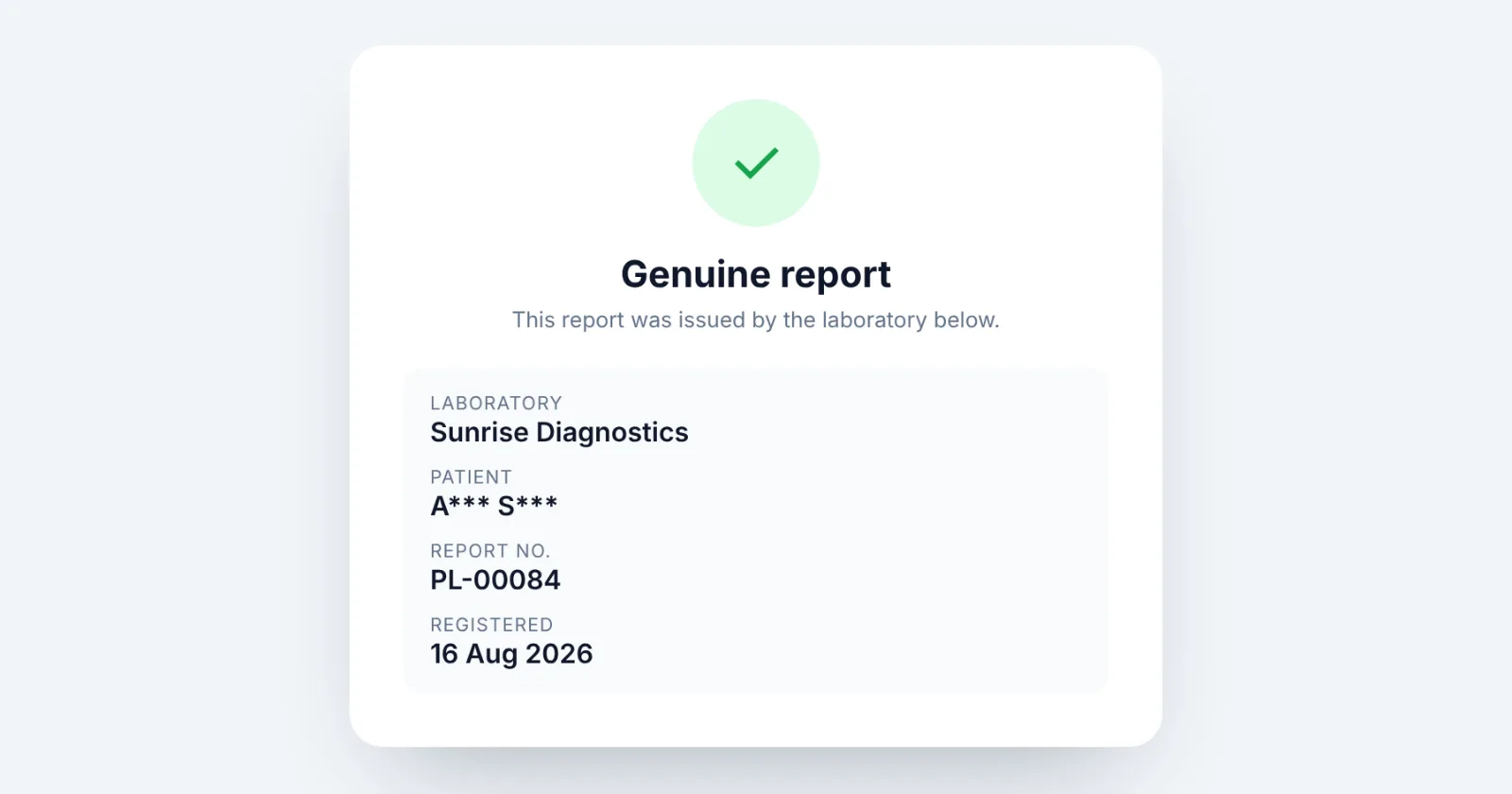
Fake and edited lab reports are common. How doctors, employers and patients can check a report really came from the lab, and what labs can do to make it easy.
· 3 min read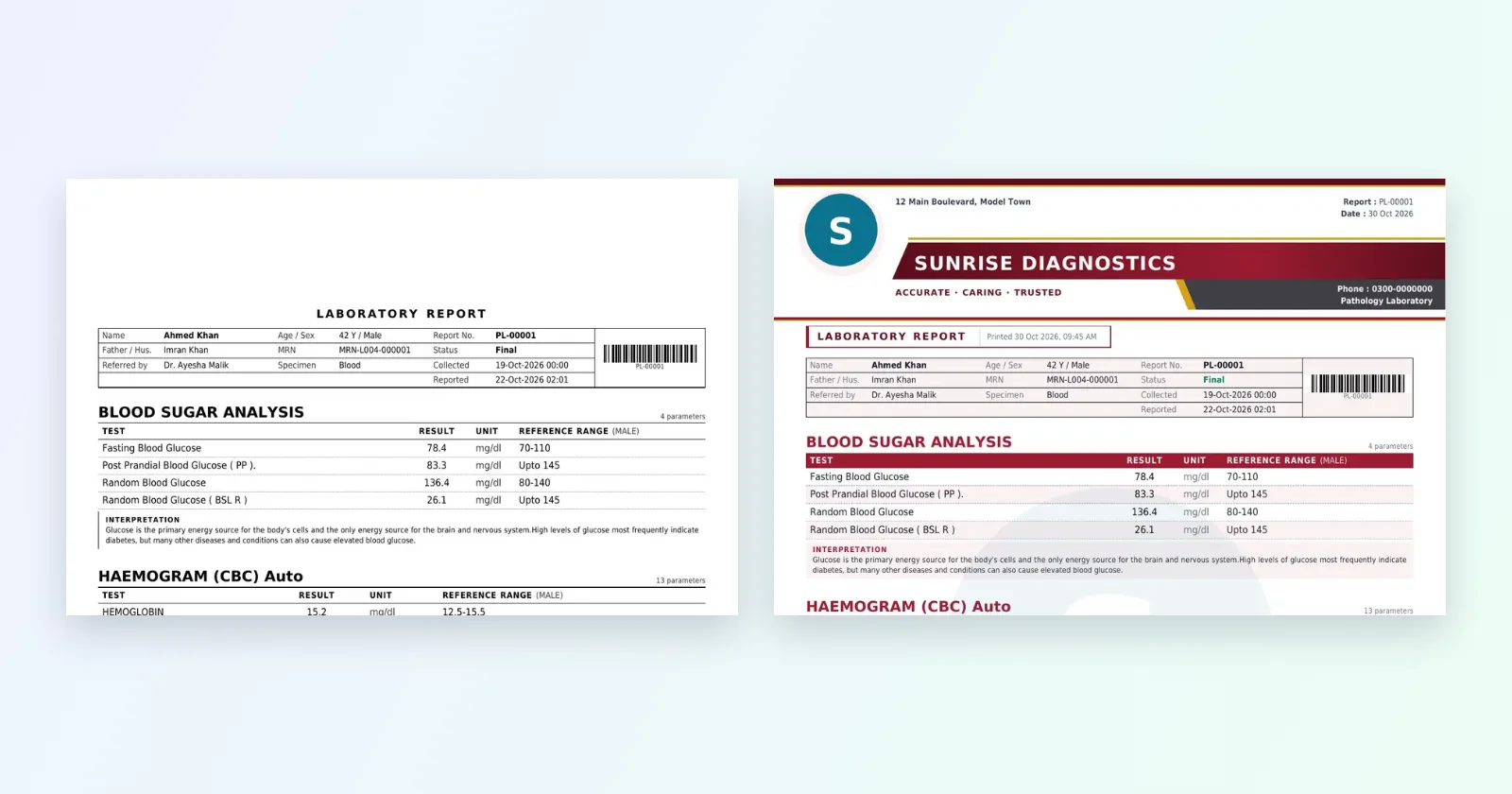
Should your lab print reports on pre-printed letterhead paper, or let the software print the letterhead? Costs, printers, WhatsApp reports and small slips compared.
· 3 min read
The parts of a clear pathology lab report, from patient details to reference ranges and signatures, with the mistakes that make doctors call the lab back.
· 4 min read