
Any browser
Chrome or Edge on a computer, tablet or phone. Add it to your phone's home screen like an app.
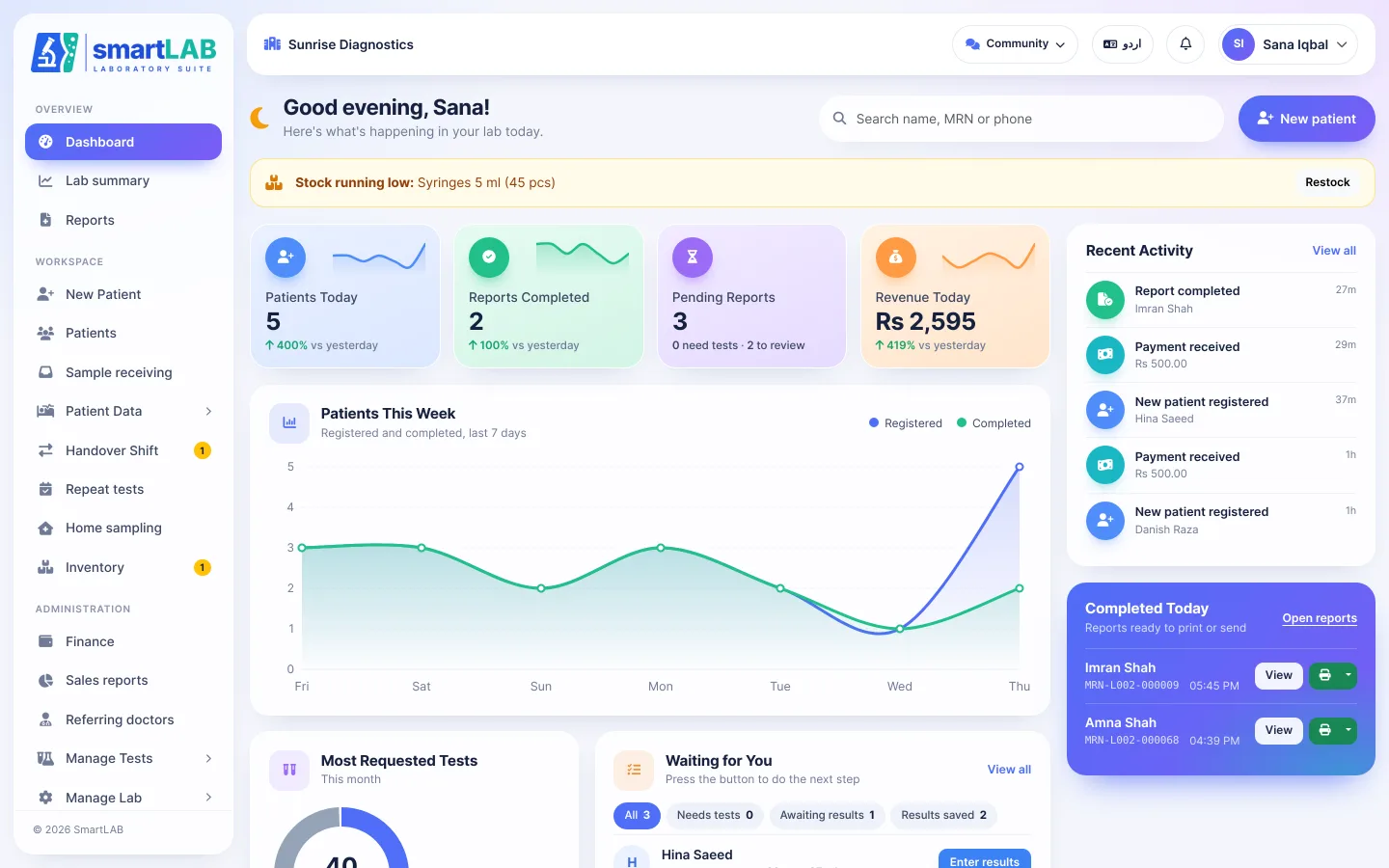
SmartLAB runs in the web browser. The lab computer, a laptop at the collection point and the owner's phone all see the same patients, results and money, and the data is kept on the server, not on one hard disk.
Chrome or Edge on a computer, tablet or phone. Add it to your phone's home screen like an app.
Patients today, reports waiting, money received and dues, without calling the counter.
Each person has their own login; admins decide what staff can see and change.
Send the patient a secure link; the full PDF opens on their phone.
A crashed computer does not take your records with it.
SmartLAB Desktop for Windows keeps the counter working without internet.
Paper registers and software tied to one computer have the same problem: the records live in one place. If the register is lost or the hard disk fails, they are gone, and nobody outside the lab can see what is happening. With online lab software the owner can check the day from anywhere and the records are backed up every day.
Many lab owners are doctors who are not at the counter all day. On the phone they see how many patients came, which reports are still waiting, the money taken by each staff member and the dues, as it happens. Staff logins can be added or switched off from home too.
That is the weak point of any online system, and in Pakistan it happens. Labs on our Standard plan also install SmartLAB Desktop on their Windows computers. It saves the work on the computer and sends it to the website when the connection is back, so the online account stays complete.
Lab software that you open in a web browser and sign in to, instead of a program installed on one computer. Your data is kept on a server and is the same on every device.
Yes. The pages are small, and reports are made as PDF files on the server, so a weak connection is enough. With no connection at all, use SmartLAB Desktop.
Yes. They can track the report, open it from a WhatsApp link, or sign in to the patient portal to download all their reports.
Yes. Open it in Chrome on any Android or iPhone and sign in. You can also add it to the home screen, so it opens like an app.
Register, add your prices and letterhead, and print your first report today. No card needed.

Load-shedding and internet cuts stop many labs that use online software. A practical plan for power, internet and software so the counter never stops.
· 4 min read
Patients want their lab reports on WhatsApp. How to send them safely, what to avoid, and why a secure link is better than a photo or a PDF in the chat.
· 3 min read
What pathology lab software really costs in Pakistan: monthly plans vs one-time licences, the costs vendors leave out, and how to work out your total for a year.
· 4 min read